Features

Everything Ember does today.

A complete reference of what is in the current stable build. Grouped by area so you can scan quickly. Honest about scope: Ember is a viewer, not an editor.

Viewing & navigation

Move through folders the way you actually work.

Ember opens fast, follows the order you already see in Explorer, and gets out of the way when you are flying through a shoot.

  • Adaptive preview loading — first frame appears immediately, full resolution loads in the background.
  • Folder browsing with next/previous, first/last, Home/End, Space, and Shift+Space.
  • Random sort mode where Next/Previous truly jump randomly instead of walking a shuffled list.
  • Multi-file browsing when you select several files in Explorer and open them at once.
  • Explorer-order navigation — including search results, recents, and custom sorts.
  • Smart date sorting that refines order using EXIF capture dates after the initial open.
  • Name sorting that matches Windows’ logical sort, so 1, 2, 10 stays in the right order.
  • Go to Image (Ctrl+G) for jumping to a specific image number.
  • Duplicate Window (Ctrl+N) opens the current image in a separate Ember process.
  • Windowed and fullscreen viewing with F11 / Alt+Enter.
  • Always on Top toggle with visible title-bar state.
  • Multi-monitor and DPI-aware window behavior with remembered bounds.
  • Shrink to Fit, Fit to Window, Fill Window, and Actual Size (100%) view modes.
  • Mouse-wheel zoom that zooms toward the cursor.
  • Fine keyboard zoom steps with Ctrl + Plus / Ctrl + Minus.
  • Drag-to-pan when zoomed, with momentum-feeling smooth zoom animations.
  • Per-image zoom and pan memory for the session — including multipage files, archive items, and MTP items.
  • Reader-style paging in Fill Window mode for tall images, including wheel scroll inside the image before falling through to navigation.
  • Reset Zoom returns to the current mode’s natural default.
Zoom & reading

Smooth zoom, useful pan, sane defaults.

Ember handles tall images, big panoramas, and 100+ megapixel rasters with a tiled rendering path so zoom and pan stay responsive even on large files.

Bottom overlay & filmstrip

Chrome you can dial up or down.

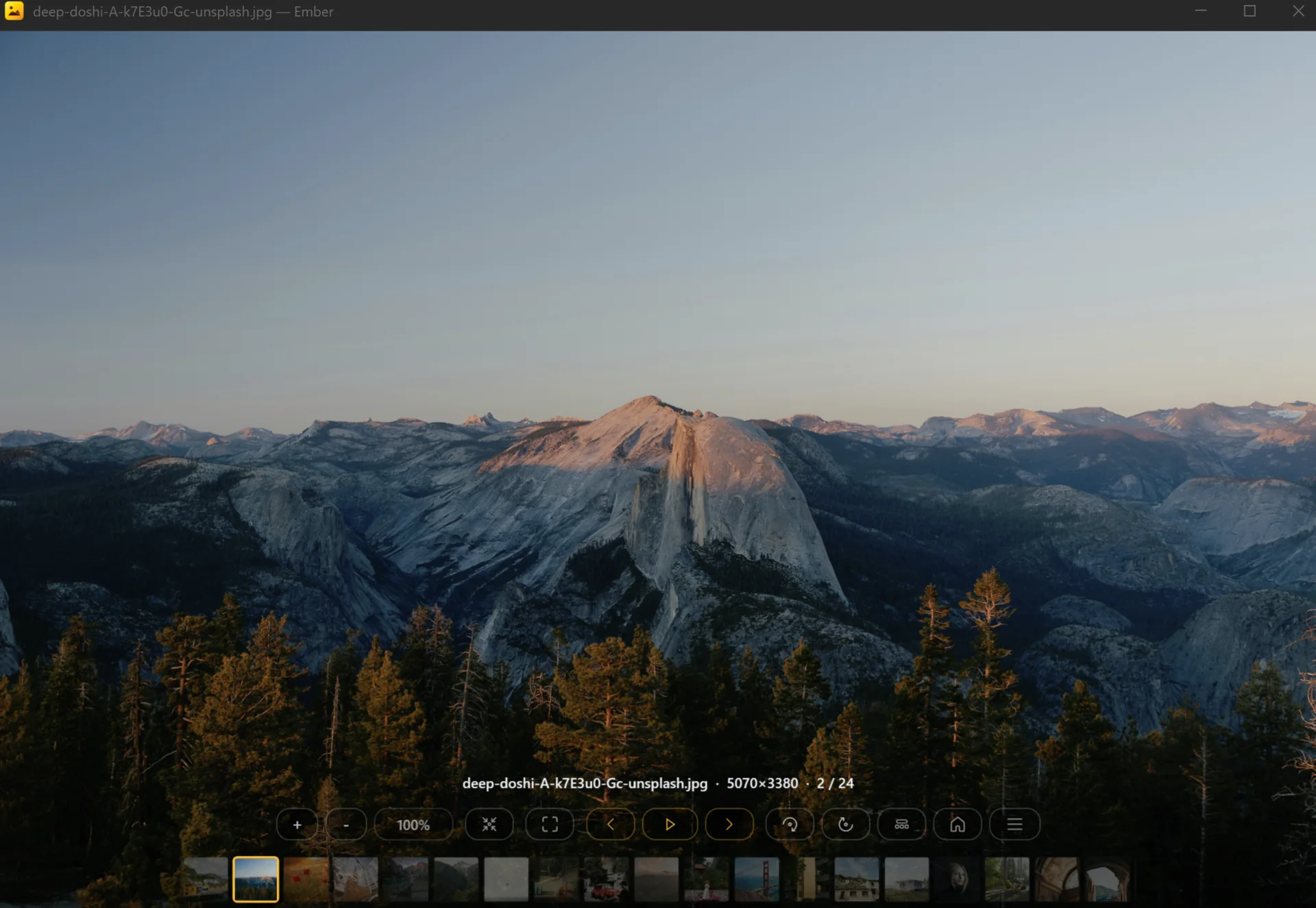
One unified overlay replaces the old-style status bar. Cycle between four densities depending on whether you want navigation, the filmstrip, both, or nothing.

  • Four overlay modes: Toolbar + Filmstrip, Toolbar Only, Filmstrip Only, Hidden.
  • Cycle modes with F or Shift+Tab; Tab toggles visibility when hidden.
  • Status row with filename, dimensions, image index, and page/frame indicators.
  • Centered control row for zoom, view mode, fullscreen, navigation, slideshow, rotate, page nav, folder nav, overlay mode, Home, and menu.
  • Optional filmstrip with current-item highlight and click-to-jump navigation.
  • Edge hover arrows for quick previous/next.
  • Auto-hiding mouse cursor while viewing.
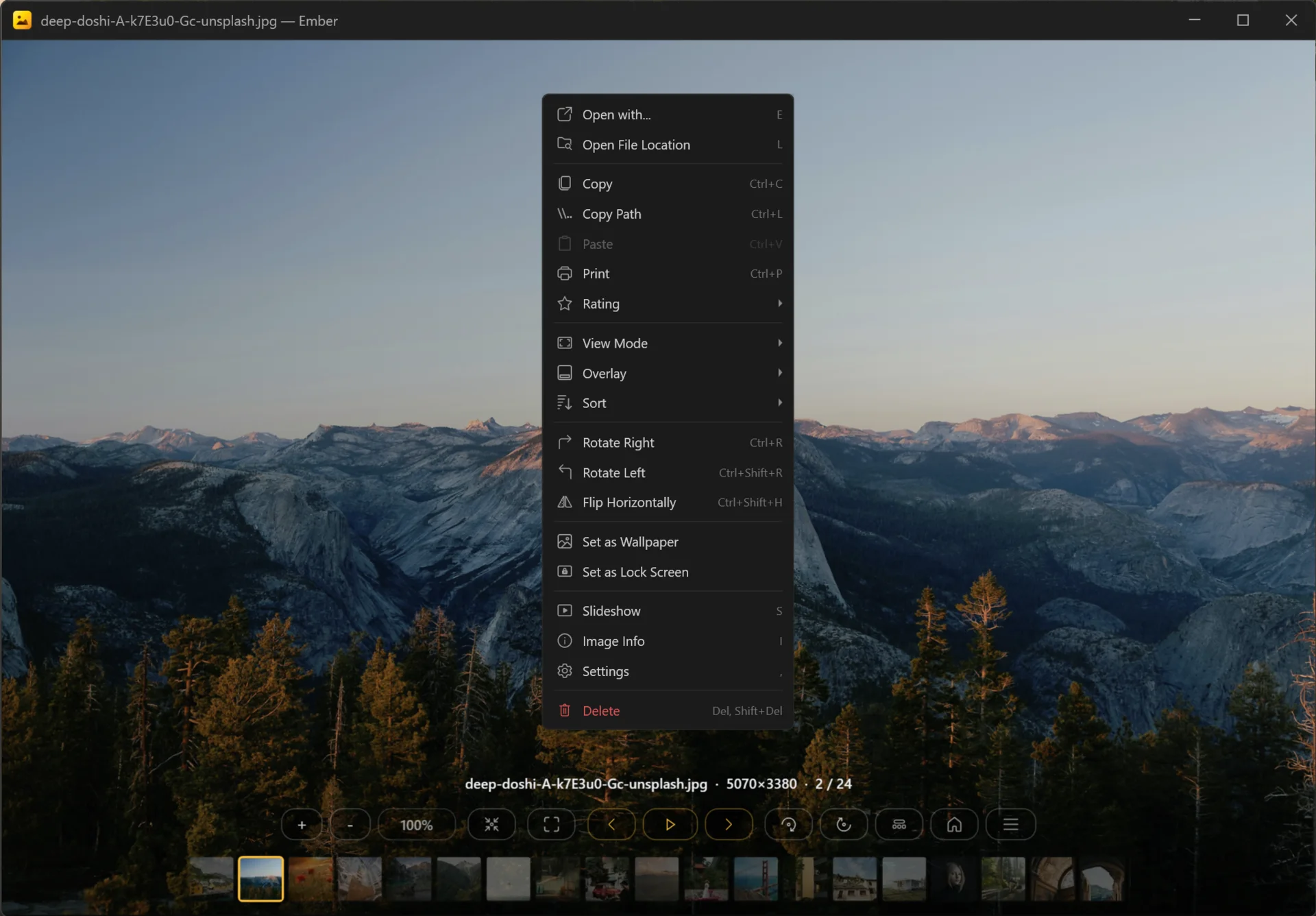
  • Dark custom context menu with grouped viewer commands.
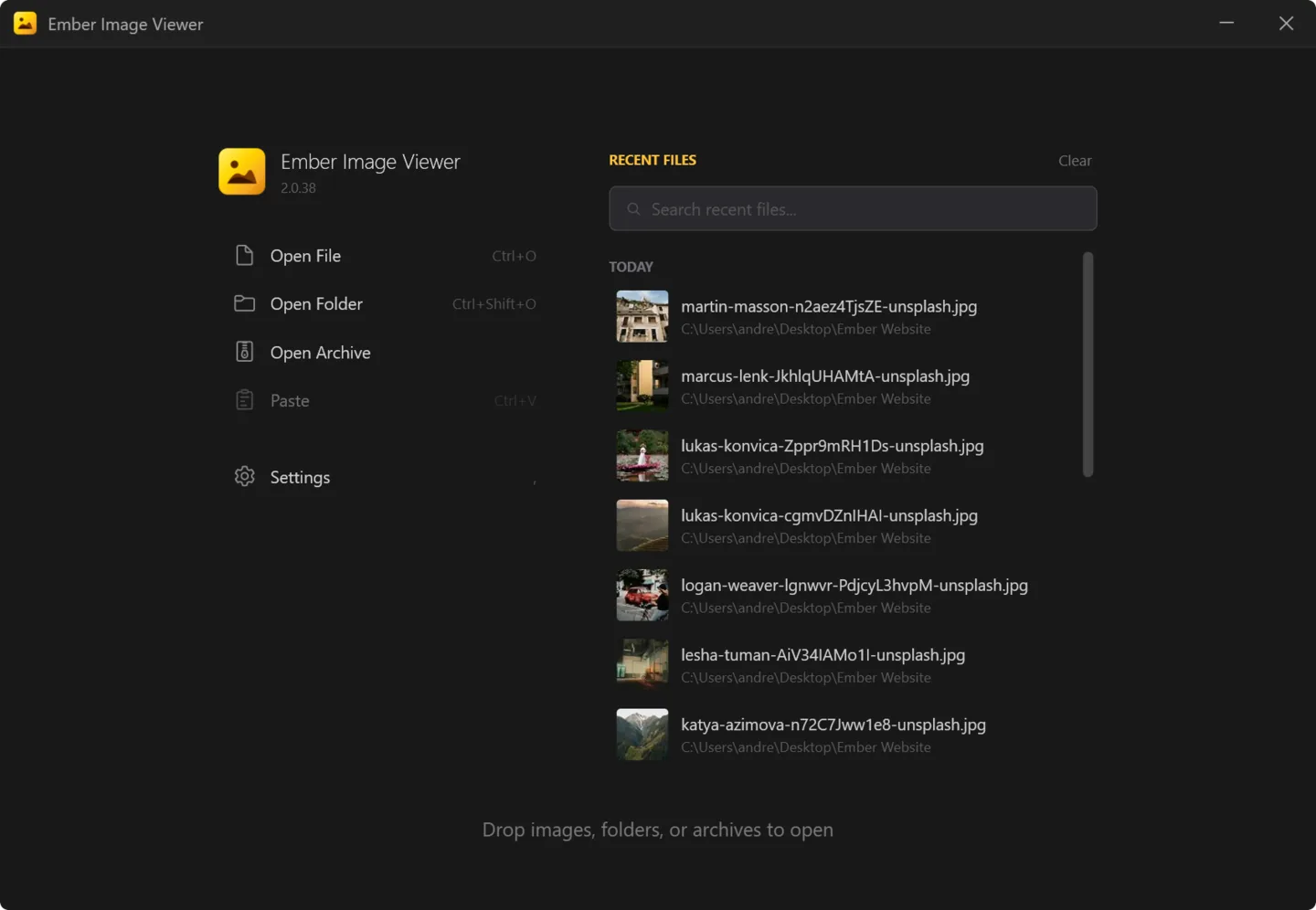
  • Dedicated Home screen when Ember opens without file arguments.
  • Recent files with cached thumbnails, grouped by Today, Yesterday, This Week, This Month, Older.
  • Search recents by filename; remove individual entries or clear the whole list.
  • Open File, Open Folder, Open Archive, Paste from clipboard.
  • Open dialogs remember their last-used folder separately for image, folder, and archive pickers.
  • Large-folder resume prompt for explicit folder-open flows.
  • Seamless Home ↔ Viewer transitions with preserved window placement.
Home screen

A useful start, not a brochure.

The Home screen brings recent work back instantly. No catalog import, no library file. Thumbnails are cached and shared with the in-viewer filmstrip.

Format coverage

100+ formats across photos, RAW, documents, and archives.

Six dedicated decode backends route each format to the right path. Unicode file and folder paths supported throughout.

Common photo formats

JPEG · JFIF · PNG · BMP · TIFF · GIF · WebP · APNG · ICO · CUR · DIB

Modern codecs

HEIC · HEIF · HIF · AVIF · JPEG XL · JPEG 2000 · JPEG XR

Camera RAW

CR2 · CR3 · CRW · NEF · NRW · ARW · DNG · RAF · ORF · RW2 · PEF · X3F · RWL · 3FR · FFF · IIQ · MOS · MEF · MFW · PTX · GPR · SRW · SR2 · SRF · KDC · DCR · K25 · RAW · MRW · ERF

Layered & creative

PSD · PSB · XCF · ORA · KRA

Vector & PostScript

SVG · SVGZ · EPS · PS · EMF · WMF

Documents & multipage

PDF · multipage TIFF · DCX

Archive browsing

ZIP · RAR · 7Z · TAR · GZ · BZ2 · XZ · LZH · LHA · CBR · CBZ · CB7

Animated & multipage content

GIF · WebP · APNG · MNG · animated JPEG XL · multipage TIFF · PDF · DCX

Technical & specialist raster

EXR · DPX · Cineon · TGA · DDS · HDR · DICOM · QOI · PCX · PAM · PBM · PGM · PNM · PPM · RAS · RLA · RLE · SGI · WBMP · WPG · XBM · XPM · MacPaint

Source types

Not just “files on disk”.

Ember treats archives, MTP devices, and clipboard paste as full browsing sources, not one-off open dialogs.

  • Local filesystem images and folders.
  • Archive-as-folder browsing without full extraction.
  • MTP device browsing for phones, cameras, and other USB media exposed through Explorer.
  • Clipboard image paste mode (no source file required).
  • Clipboard file paste for regular files and folders.
  • Explorer multi-select that consolidates many selected files into one Ember session.
  • Adaptive resolution ladder — start at a screen-appropriate level, load more pixels only when zoom or viewport demands them.
  • Preview, intermediate-level, native-resolution, and tiled large-image pipelines.
  • Dedicated very-large-image mode for huge static rasters so zoom/pan stays usable without one giant bitmap allocation.
  • Dedicated large TIFF handling path separate from the tiled non-TIFF path.
  • Working-copy strategy for huge tiled images so the original file remains free for delete/rename.
  • Shared thumbnail cache for Home and the in-viewer filmstrip.
  • Preload cache for next-image preview loading in normal file mode and bounded archive mode.
  • Live reload when a file changes on disk in Photoshop, Paint, or another editor — preserving zoom and pan.
  • ICC color profile support; monitor ICC presentation step for supported decode paths.
  • HDR PQ HEIF tone mapping to SDR for HDR-capable Canon HEIF and similar material.
  • Nikon HE / HE* RAW fallback logic for problematic newer Nikon files.
  • Embedded thumbnail and preview reuse where it gives faster opens or better thumbnails.
Performance & image quality

Quality you can see, on files that should be slow.

Ember does the boring work to keep big files responsive: progressive decode, tiled rendering, color management, and HDR-aware paths.

Metadata, ratings, and file ops

Cull, rate, rotate, delete — the basics, done right.

Ratings are written through the standard Windows property system so other tools see them. Destructive actions go through the recycle bin by default and are blocked when a file has not loaded cleanly.

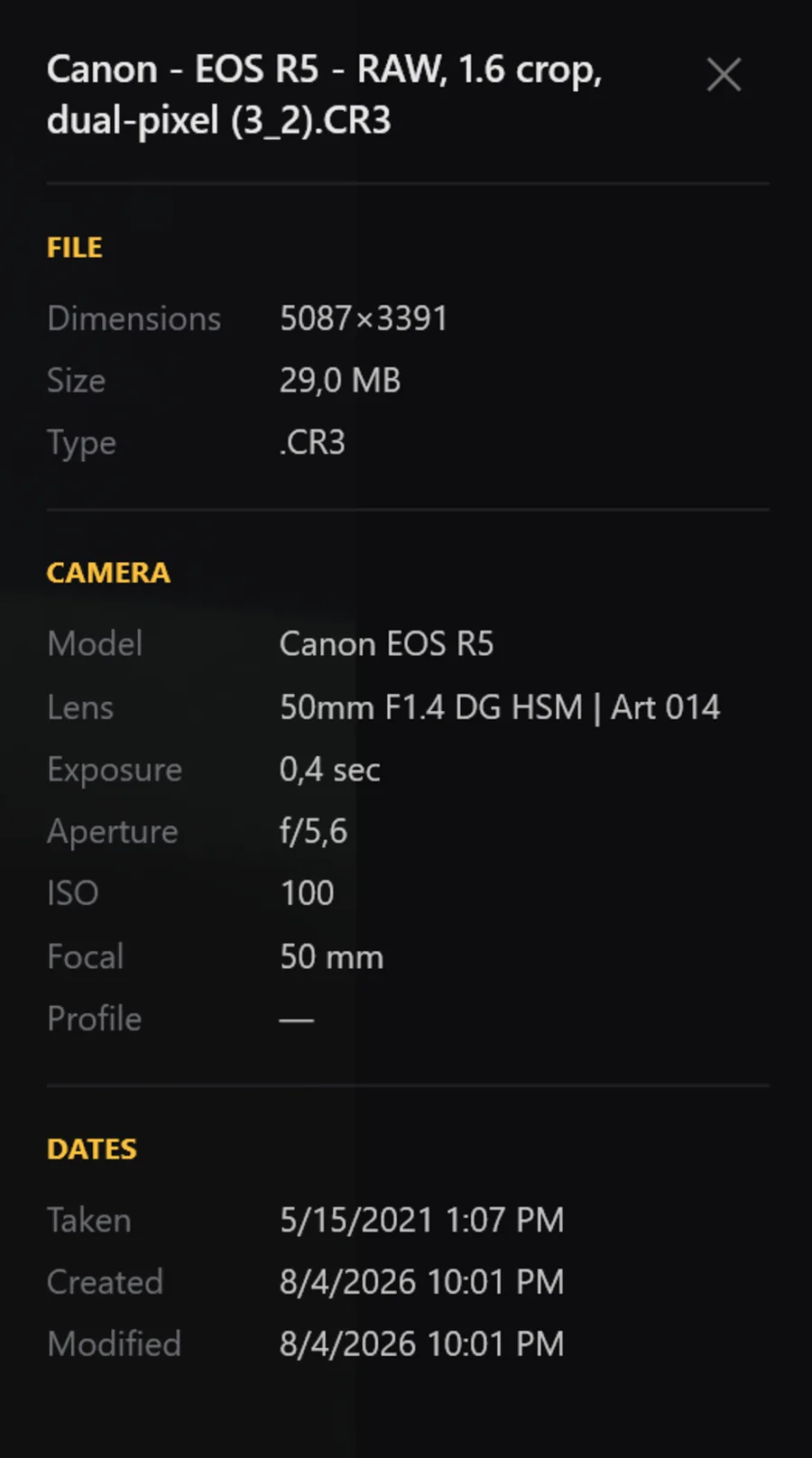
  • Image info panel with EXIF, camera, lens, exposure, ISO, dimensions, color profile, page/frame counts, and archive info.
  • Windows-compatible star ratings (1–5, or 0 to clear) for JPEG, JFIF, and TIFF.
  • Rating display in the info panel, bottom chrome, and context menu.
  • Sort by date, name, same-as-folder, or random — ascending or descending.
  • Open With · Open File Location · Copy image · Copy file path · Paste · Print.
  • Delete to recycle bin with Undo; Shift+Delete for permanent delete with confirmation.
  • Auto-advance if the current file is deleted externally.
  • Corruption guard that blocks dangerous file ops when an image failed to load correctly.
  • Rotate right / left and flip horizontally — metadata-only when possible (JPEG / JFIF / TIFF), pixel rewrite fallback elsewhere.
  • Set as Wallpaper or Lock Screen with per-monitor targeting; layout choices include Fill, Fit, Stretch, Center, and Span.
Special modes

Three browsing modes beyond plain folders.

Each mode is wired through the same navigation, zoom memory, and overlay UI you already know.

Archive mode

Browse images inside ZIP, RAR, 7Z, CBZ

  • No full extraction required.
  • Password prompt for encrypted archives where supported.
  • Sort by name, date, or random.
  • Folder-aware navigation; Next Folder / Previous Folder commands.
  • Resume toast for large archives that remembers your position.
  • Extract-to-Desktop for the current image.
  • Persistent filmstrip thumbnails per archive.
MTP mode

Phones & cameras over USB

  • Detects when Explorer launched Ember from a phone or camera cache copy.
  • Reconstructs the visible device-file list from the active Explorer window.
  • Navigate the device folder instead of being trapped on one cached file.
  • Loads image bytes directly from shell items over MTP.
  • Delete supported MTP items from the device through the shell.
  • Session zoom memory preserved.
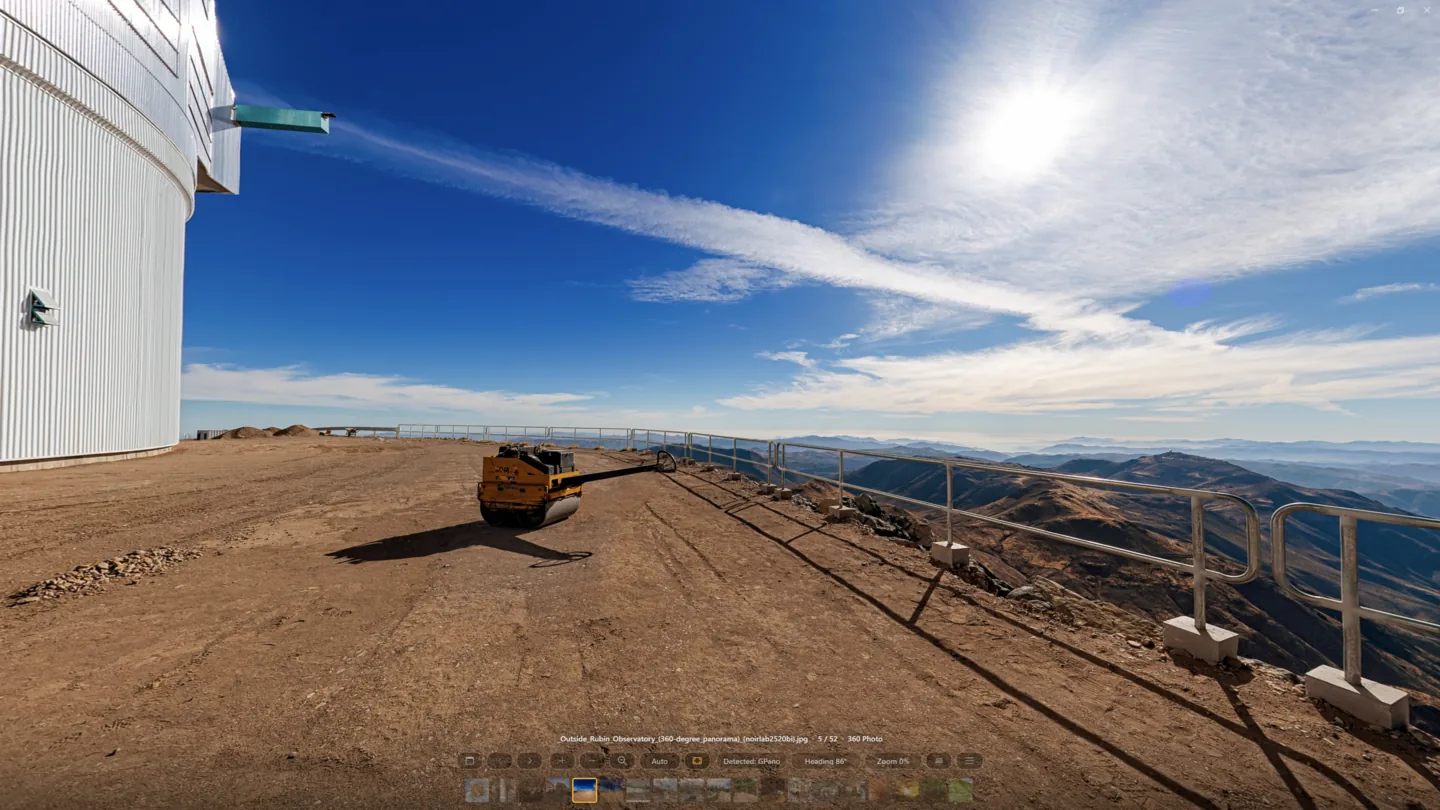
Panorama mode

360° equirectangular viewing

  • Default routing from GPano metadata.
  • Manual “Open as 360 Panorama” for eligible local files.
  • Inline “View as 360 Panorama” CTA in the flat viewer.
  • Session-only Open Flat / Open as 360 overrides.
  • Supports JPG, JPEG, PNG, WebP, TIFF, TIF — including GPano-cropped partials.
  • Controls: previous/next, reset, zoom, auto-rotate, info panel, overlay mode, open-flat handoff.
  • Filmstrip for multi-image local panorama sessions.
  • Seamless handoff in mixed folders.
  • Local offline panorama host powered by WebView2 + Photo Sphere Viewer.
Input

Keyboard, mouse, touch, and touchpad — all first-class.

Mouse-wheel behavior is configurable. Modifier keys override on demand. Touch and precision-touchpad gestures are wired natively, not faked.

  • Full keyboard-centric workflow.
  • Mouse wheel mode setting: zoom or navigate.
  • Alt + wheel forces navigation; Ctrl + wheel forces zoom.
  • Horizontal mouse-wheel gesture support.
  • Precision touchpad zoom and swipe navigation.
  • Touch pinch zoom and touch pan.
  • Touch swipe left / right for next / previous.
  • Touch swipe up to close.
  • Drag-and-drop open for files, folders, archives, and multi-file selections.
  • Settings window with General, File Associations, Updates, and About sections.
  • Animation mode: Auto, Reduced, or Disabled.
  • Image cache mode setting.
  • Mouse wheel behavior setting.
  • Slideshow interval (1–30 s).
  • Show Recent Files toggle and Open In Fullscreen toggle.
  • Thumbnail cache size display and clear-cache action.
  • Register Ember as the default handler for supported extensions, grouped by photo / advanced codec / technical / camera RAW / authoring / documents.
  • Per-format icons for supported associations.
  • Explorer-friendly multi-select registration; registry updates without admin rights.
  • Official installer and portable builds, both self-contained (no separate .NET runtime install).
  • In-app update status, manual Check for Updates, download & restart-to-apply flow.
  • Update modes: Automatic, Notify Only, Disabled.
  • Delayed initial check, periodic background checks, faster retry after connectivity failures.
Settings, integration & updates

Configurable where it matters, invisible elsewhere.

File associations register without admin rights. Updates are opt-out. Both installer and portable builds are self-contained, so a separate .NET install is never required.

Ready to try it?

Download Ember and open a folder.

Self-contained installer or portable build. No .NET install required. File associations register without admin rights.